Home networking tends to become complicated at exactly the wrong moment. A video call starts breaking up. A television buffers in one room but works in another. A new router presents a screen full of unfamiliar settings. Someone changes three things at once, the problem appears to go away, and nobody is quite sure which change helped.
The difficulty is not always the technology itself. It is often knowing which question to ask first.
Is the internet connection failing, or only the Wi-Fi? Is the problem limited to one device? Is the router reachable? Is DNS working? Is there another router between your network and the internet? Would moving an access point help, or would that simply move the weak area somewhere else?
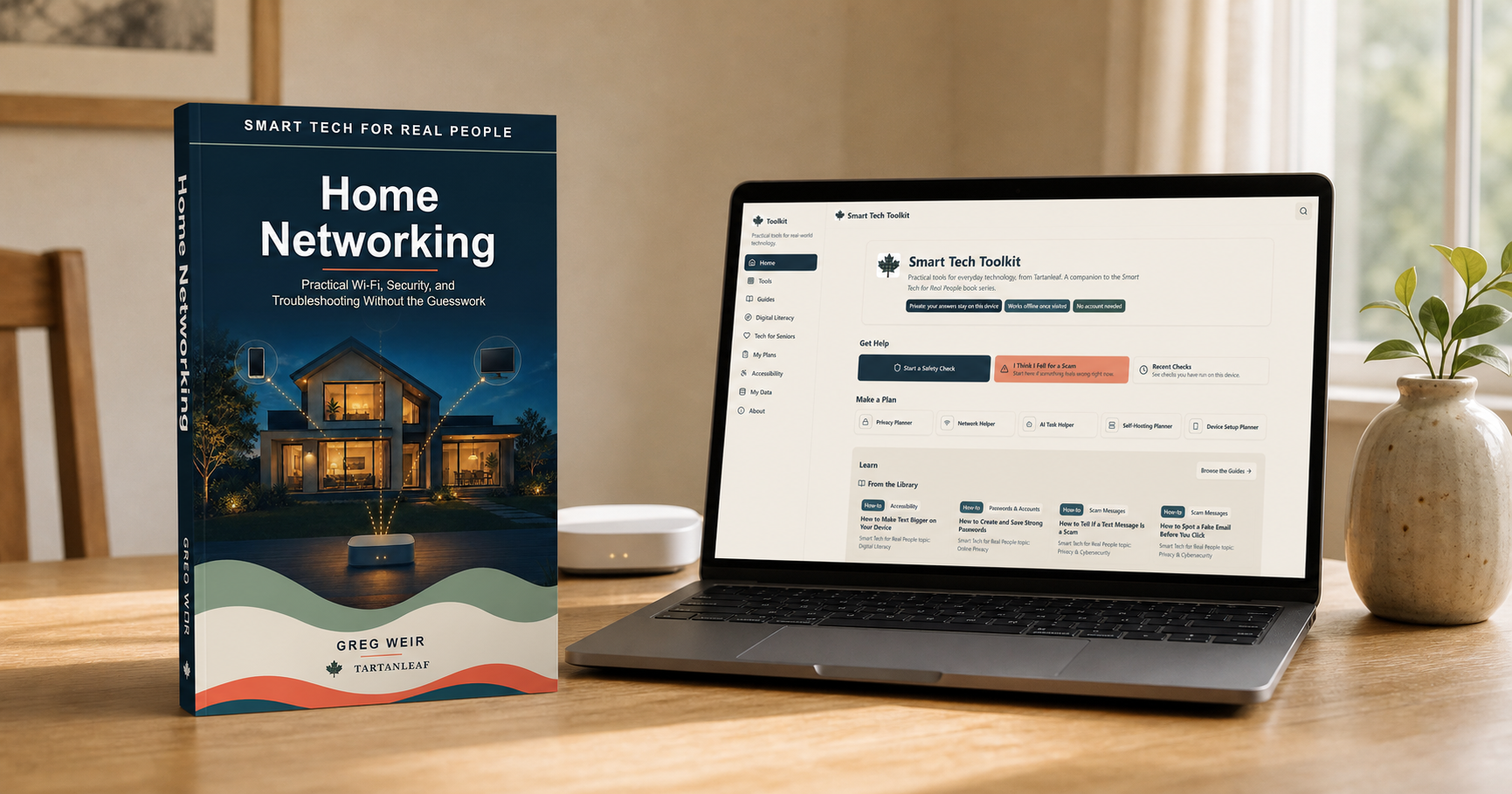
I have been working on four related resources for those situations: the book Smart Tech for Real People: Home Networking, the free Home Network Baseline and Recovery Pack, the free Smart Tech Toolkit and the open-source HomeNetCheck application. They overlap, but they are not four versions of the same thing. Each serves a different purpose.
The book explains the system
Home Networking is for readers who want to understand the network they already have without having to become network engineers.
It begins with the path into the home: the modem or optical network terminal, the router, switches, Ethernet and Wi-Fi. It then looks at coverage, mesh systems, guest networks, smart devices, VPNs, provider equipment, security and troubleshooting.
The aim is not to supply a single ideal configuration. Homes, budgets and internet services differ too much for that. The more useful goal is to understand what each part does, where a failure might occur and which changes are worth trying.
That matters because troubleshooting works better when changes are small and reversible. Replacing every piece of equipment may appear decisive, but it can be expensive and may conceal the original cause. Checking one part of the signal path at a time is slower for a few minutes and usually faster overall.
The Kindle and paperback editions of Smart Tech for Real People: Home Networking are available through Amazon. The paperback can also be ordered through bookstores and libraries supplied by Ingram; ask for the title and author or use paperback ISBN 978-1-997095-02-6.
The pack preserves a useful baseline
The free Home Network Baseline and Recovery Pack is a printable companion for recording what normally works before the next outage. It helps you identify important equipment and tasks, map useful connection paths, and preserve the details you will need when something changes.
The pack is an original companion rather than an excerpt from the book, and it is useful on its own. It is delivered by email with occasional practical home-networking updates. HomeNetCheck and Tartanleaf’s other existing tools remain freely available without subscribing.
The Toolkit helps organize decisions
The Smart Tech Toolkit is a free browser-based companion. It includes a Network Helper, privacy and device planners, safety and scam checks, and practical guides.
The Network Helper does not pretend that a few answers can replace observation or testing. Its purpose is to help narrow the situation and suggest a sensible next step. The other tools address decisions that often surround home technology: what information a device collects, which security questions matter and what to check before trusting an unfamiliar message or request.
No account is required. Answers remain on the user’s device, and the Toolkit works offline once it has been visited. It is intended to be something people can open when they need it, without first creating another profile or handing over more information.
HomeNetCheck examines symptoms
HomeNetCheck is different from the Toolkit. It is a downloadable, open-source desktop application for Windows, macOS and Linux—not a browser application.
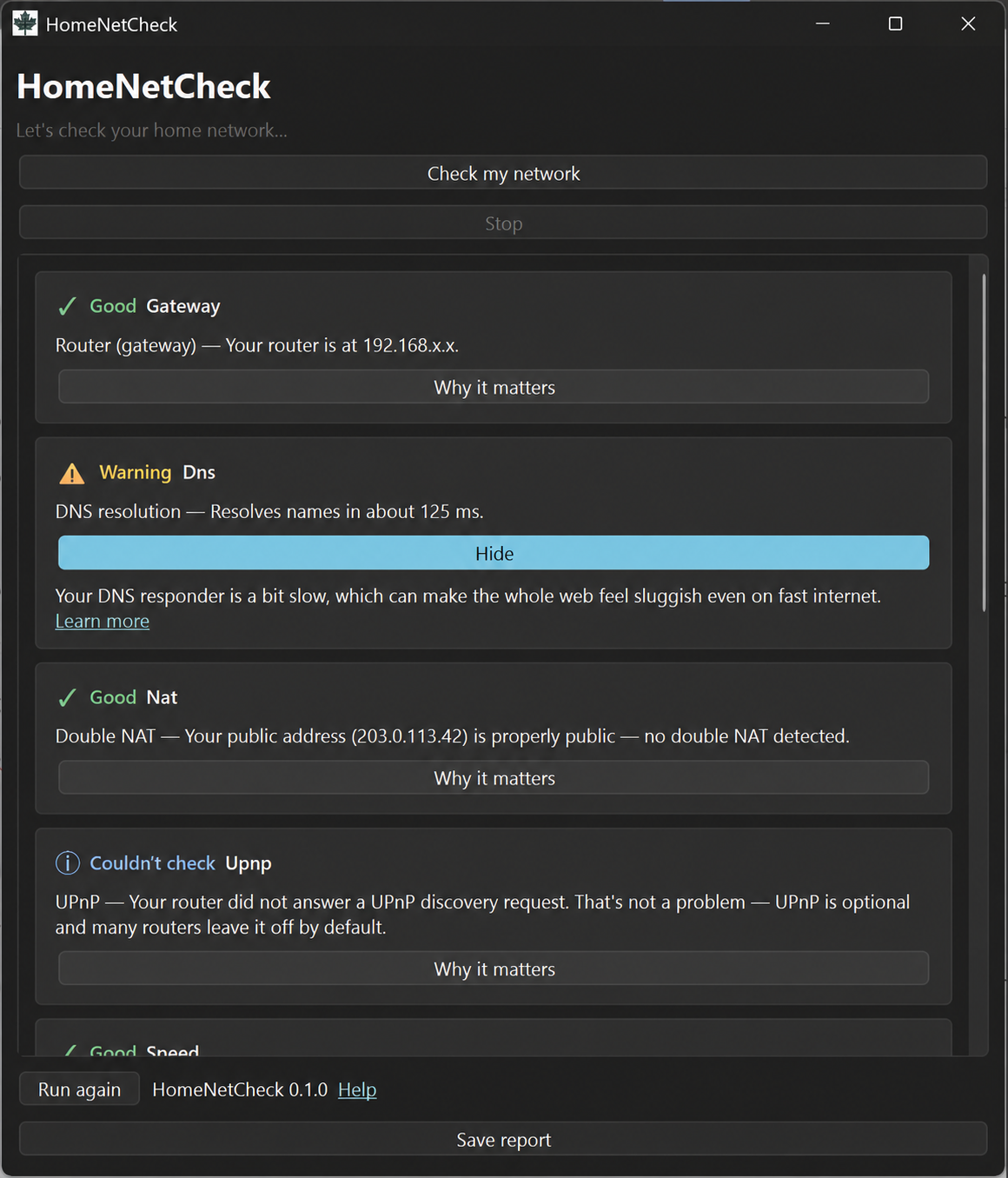
It checks common parts of the network path, including router reachability, DNS, double NAT, latency, packet loss, internet speed and the Wi-Fi information made available by the operating system. It then presents the results in a plain-language report.
HomeNetCheck does not change router settings or attempt to repair the network automatically. That restraint is deliberate. A diagnostic application should help someone understand what it observed before it starts altering the system being examined.
The report can identify symptoms and point toward useful questions. The book provides the background needed to interpret those symptoms, the pack preserves a baseline for comparison, and the Toolkit helps organize the next decision. In practical terms:
- The pack can record which devices and tasks worked normally before the problem began.
- HomeNetCheck can show that DNS lookups are failing.
- The book explains what DNS does and why that failure can make an otherwise working connection appear broken.
- The Toolkit can help the user work through the next checks without changing several unrelated settings.
No single resource can diagnose every network, but the combination offers a more useful path than random experimentation.
Why I kept them separate
It would have been possible to put every checklist, diagnostic and explanation into one large application. I do not think that would have made the result easier to use.
A book is good at building understanding and showing how ideas connect. A printable pack is useful for preserving a baseline and working through recovery. A browser-based toolkit supports short, structured decisions. A desktop application can inspect information that a normal webpage cannot safely or consistently access.
Keeping those roles separate also makes the limitations clearer. The pack does not inspect the network. The Toolkit does not claim to inspect it either. HomeNetCheck does not teach the whole subject, and the book cannot measure what is happening on a particular computer at a particular moment.
Together, they support a simple sequence:
- Record a baseline while the network is working.
- Observe the problem carefully.
- Check which part of the path appears to be failing.
- Understand what that part does.
- Make one small, reversible change.
- Test again before changing something else.
That sequence is less dramatic than replacing a router or resetting everything to factory defaults. It is also more likely to reveal what was actually wrong.
Available now
Smart Tech for Real People: Home Networking is available in Kindle and paperback editions. Its book page provides the localized Amazon link and bookstore or library ordering information.
Get the free Home Network Baseline and Recovery Pack. It is delivered by email and is complete and useful without buying the book.
The Smart Tech Toolkit is free to use in a browser, and HomeNetCheck is free and open-source software for Windows, macOS and Linux.
Other Smart Tech for Real People titles and their current publication status are listed on the series page.
If you use the pack, Toolkit or HomeNetCheck and find something unclear, I would be interested in knowing where you hesitated or what you expected to happen next. That sort of feedback is especially useful because it identifies the explanations that still need work.