
Technology That Stays Understandable
Tartanleaf develops small, practical resources around real problems. They are free community resources rather than subscription services or supported commercial products.
These tools put the Tartanleaf Practical-Technology Method into practice: observe first, explain the evidence, keep changes controlled, and preserve a safe way back.
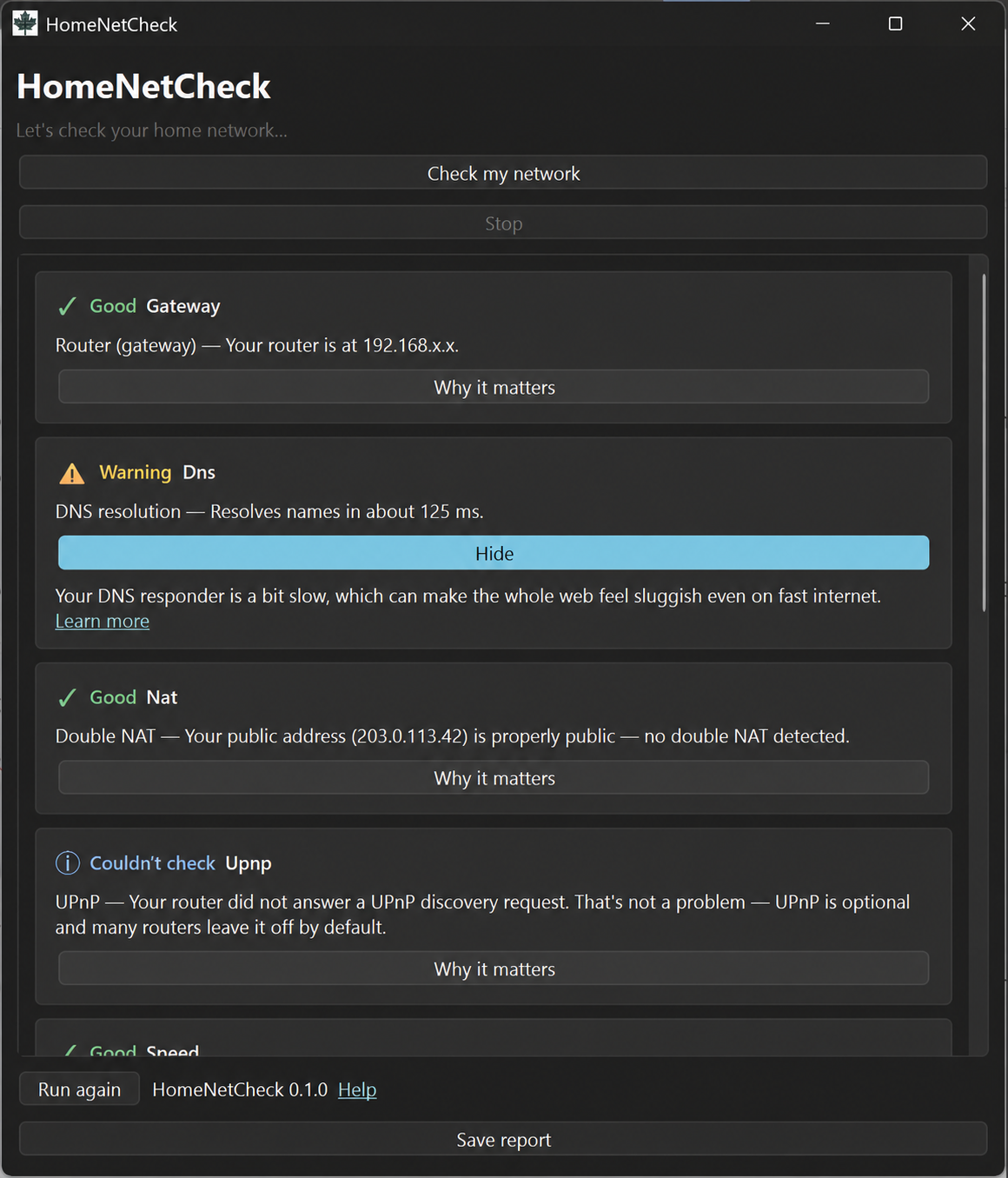
homenet diagnostic engine into a plain-language graphical report. This interface image comes from an early build; current downloads are version 0.1.4. Network addresses in this example have been sanitized.Recommended for most people
HomeNetCheck + homenet
One home-network diagnostic project, with two ways to use it. Both check common problems such as router reachability, DNS, double NAT, latency, internet speed, and Wi-Fi, then explain what the results mean.
- HomeNetCheck is the graphical desktop app for Windows, macOS, and Linux. Download it, open it, and click Check my network.
- homenet is the command-line engine for scripts, automation, remote support, and people who prefer a terminal.
HomeNetCheck downloads are not code-signed, so your operating system may show a first-run warning. The opening instructions explain why and what to check.
Free browser-based companion
Smart Tech Toolkit
Practical help for everyday technology decisions. Use the Network Helper, privacy and device planners, safety and scam checks, and plain-language guides without creating an account.
Free to use · No account · Answers stay on your device · Works offline once visited

Local-first recovery planner
Tech Passport
Create an understandable record of the devices, accounts, backups, dependencies, and recovery information your life relies on. Tech Passport is a free, open-source browser app that works offline after its first load and requires no account.
Free and open source · No account · No analytics · Records stay in this browser profileBack up your Passport: Clearing site data, changing browser profiles, or losing the device can remove your records. Export a JSON backup after setup and whenever you make important changes, then store it somewhere secure. Do not enter passwords, recovery codes, private keys, or seed phrases.
Local-AI observation and reporting tool · Desktop preview
AI Engine Room
A free, open-source desktop app that helps you see which supported local AI tools are running on your computer, understand what the app can observe, and create a plain-language report.
Windows and Ubuntu preview · Free and open source · No account or usage tracking
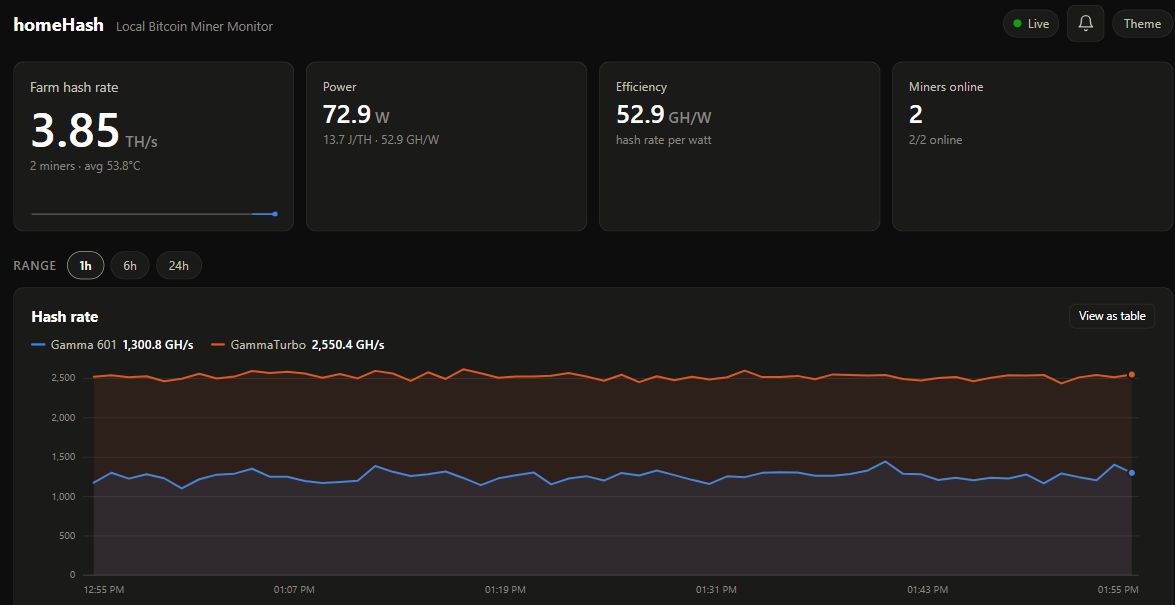
Bitaxe monitoring · Early development
homeHash
A free, open-source dashboard for observing Bitaxe readings and recent history on your own computer or local network. Record a dated baseline before changing settings, then compare the evidence with the miner’s own interface.
Free and open source · MIT License · Early developmentRecorded hardware tests cover Gamma 601 and Gamma Turbo. Testing with other Bitaxe models and related devices is welcome, but their compatibility is not confirmed.
View the source code on GitHub. No book purchase or mailing-list signup required.
Start with miner controls disabled. homeHash has no built-in authentication or TLS; use it only on a trusted private network, not exposed to the internet. Optional email and Discord alerts send information to the services you configure. Monitoring is not a guarantee of safe operation or mining results.
For small hospitality spaces
Open Lobby Board
A local-first welcome board for hotels, inns, B&Bs, restaurants, event venues, and reception spaces. It runs on a Raspberry Pi connected to a lobby display, while staff update the board from a phone or computer on the same trusted local network.
There is no subscription, cloud account, advertising service, database, or hosted dependency. The sample content remains set in Baddeck, Nova Scotia, where the project was originally developed for Gisele’s Inn. Free and open source · MIT License · Locally controlled Questions and feedback on GitHub → Read the case study: What a Local Lobby Display Changed at a Nova Scotia InnThis is an example project for technically comfortable operators. It is designed for a trusted, non-routable local network and must not be exposed to the public Internet.
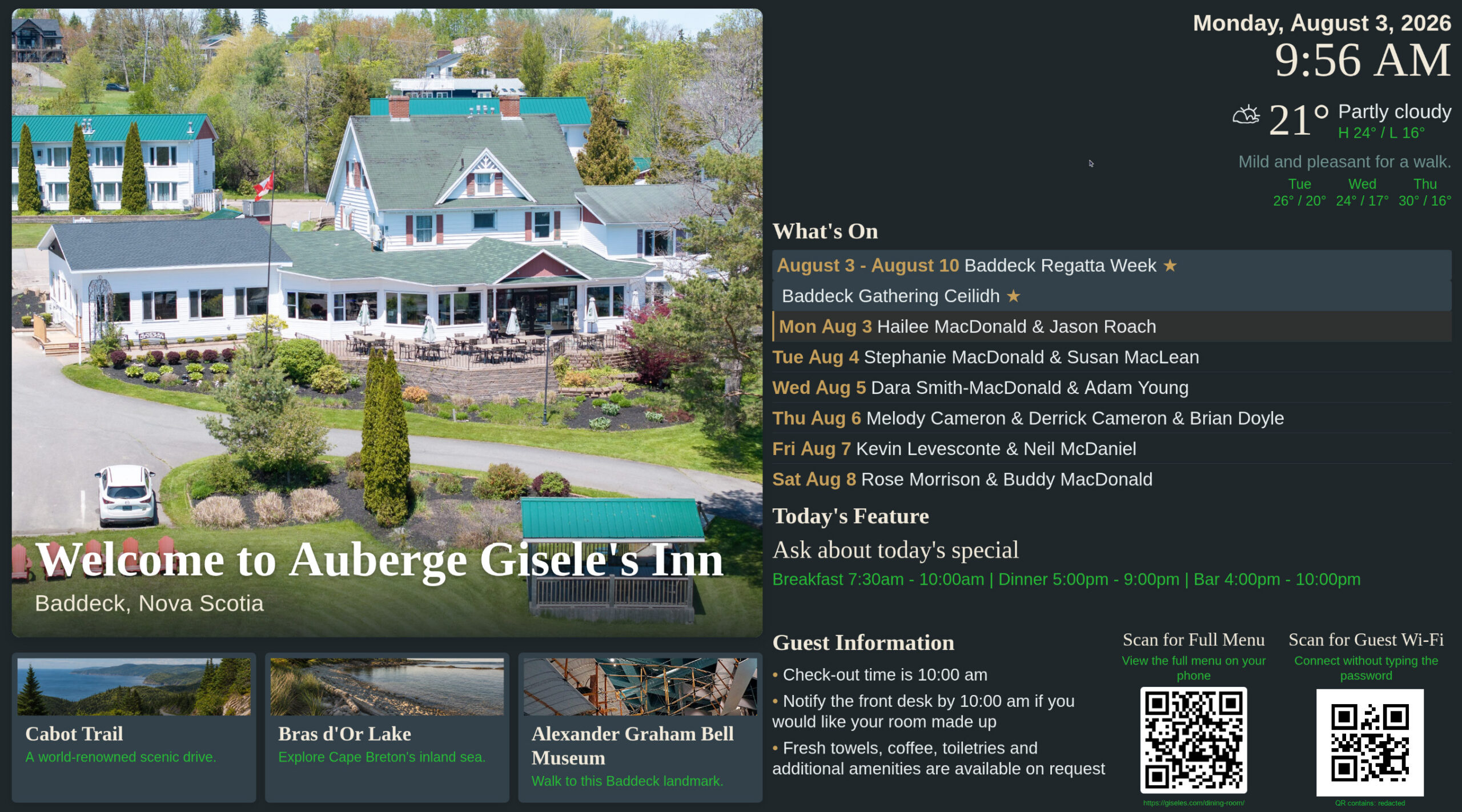
redacted; no network credential is included.What These Tools Have in Common
Plain Language
Clear interfaces and documentation designed to reduce unnecessary technical friction.
Local Control
Tools that run on equipment you control, without turning ordinary functions into another subscription.
Open Source
Source code that can be inspected, adapted, shared, and improved under straightforward open-source licences.