Author: Greg Weir

  • Four Practical Resources for Understanding Your Home Network

    Four Practical Resources for Understanding Your Home Network

    Home networking tends to become complicated at exactly the wrong moment. A video call starts breaking up. A television buffers in one room but works in another. A new router presents a screen full of unfamiliar settings. Someone changes three things at once, the problem appears to go away, and nobody is quite sure which change helped.

    The difficulty is not always the technology itself. It is often knowing which question to ask first.

    Is the internet connection failing, or only the Wi-Fi? Is the problem limited to one device? Is the router reachable? Is DNS working? Is there another router between your network and the internet? Would moving an access point help, or would that simply move the weak area somewhere else?

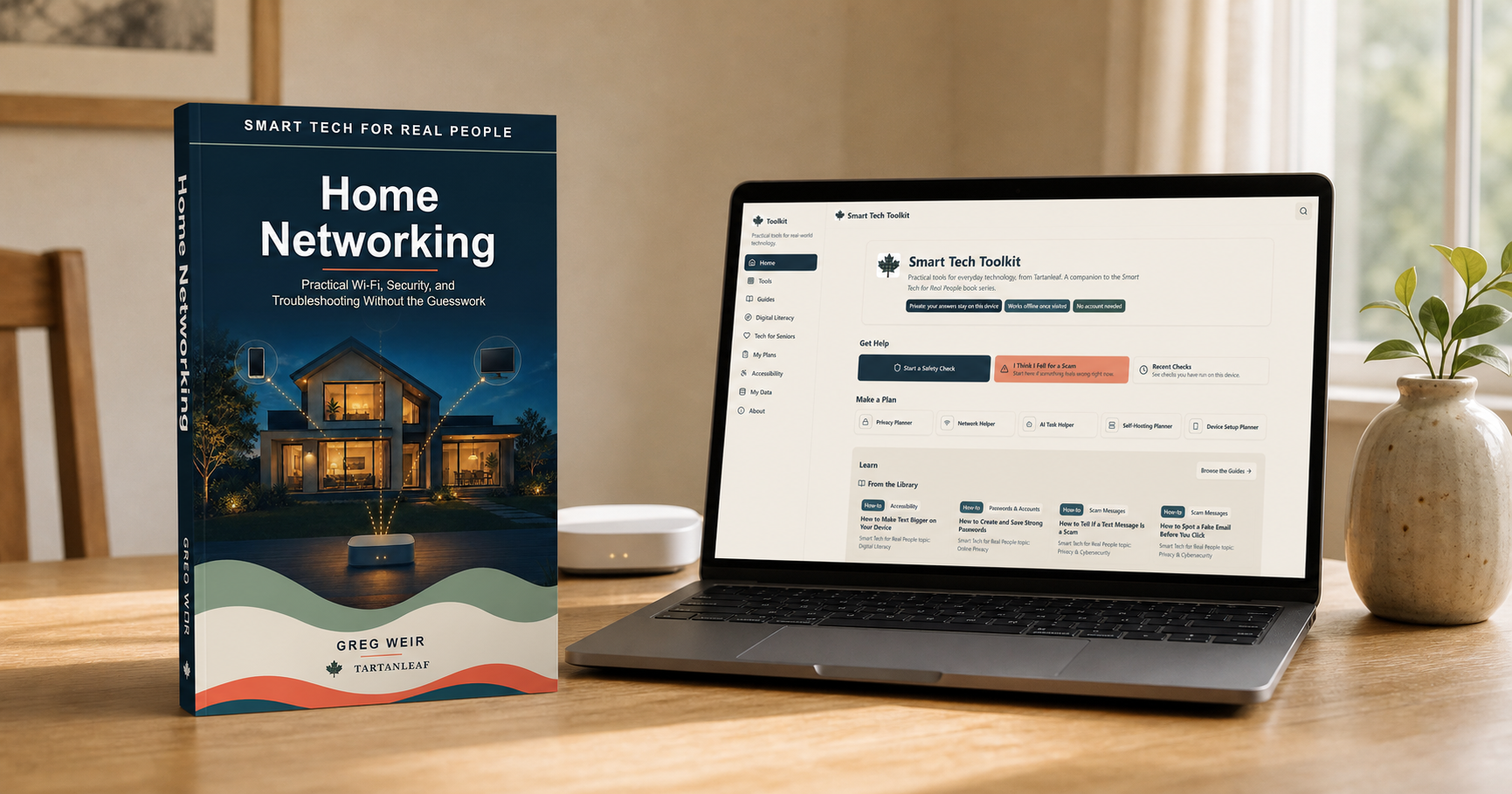
    I have been working on four related resources for those situations: the book Smart Tech for Real People: Home Networking, the free Home Network Baseline and Recovery Pack, the free Smart Tech Toolkit and the open-source HomeNetCheck application. They overlap, but they are not four versions of the same thing. Each serves a different purpose.

    Watch: Which Part of Your Home Network Is Failing?

    The book explains the system

    Home Networking is for readers who want to understand the network they already have without having to become network engineers.

    It begins with the path into the home: the modem or optical network terminal, the router, switches, Ethernet and Wi-Fi. It then looks at coverage, mesh systems, guest networks, smart devices, VPNs, provider equipment, security and troubleshooting.

    The aim is not to supply a single ideal configuration. Homes, budgets and internet services differ too much for that. The more useful goal is to understand what each part does, where a failure might occur and which changes are worth trying.

    That matters because troubleshooting works better when changes are small and reversible. Replacing every piece of equipment may appear decisive, but it can be expensive and may conceal the original cause. Checking one part of the signal path at a time is slower for a few minutes and usually faster overall.

    The Kindle and paperback editions of Smart Tech for Real People: Home Networking are available through Amazon. The paperback can also be ordered through bookstores and libraries supplied by Ingram; ask for the title and author or use paperback ISBN 978-1-997095-02-6.

    The pack preserves a useful baseline

    The free Home Network Baseline and Recovery Pack is a printable companion for recording what normally works before the next outage. It helps you identify important equipment and tasks, map useful connection paths, and preserve the details you will need when something changes.

    The pack is an original companion rather than an excerpt from the book, and it is useful on its own. It is delivered by email with occasional practical home-networking updates. HomeNetCheck and Tartanleaf’s other existing tools remain freely available without subscribing.

    The Toolkit helps organize decisions

    The Smart Tech Toolkit is a free browser-based companion. It includes a Network Helper, privacy and device planners, safety and scam checks, and practical guides.

    The Network Helper does not pretend that a few answers can replace observation or testing. Its purpose is to help narrow the situation and suggest a sensible next step. The other tools address decisions that often surround home technology: what information a device collects, which security questions matter and what to check before trusting an unfamiliar message or request.

    No account is required. Answers remain on the user’s device, and the Toolkit works offline once it has been visited. It is intended to be something people can open when they need it, without first creating another profile or handing over more information.

    HomeNetCheck examines symptoms

    HomeNetCheck is different from the Toolkit. It is a downloadable, open-source desktop application for Windows, macOS and Linux—not a browser application.

    It checks common parts of the network path, including router reachability, DNS, double NAT, latency, packet loss, internet speed and the Wi-Fi information made available by the operating system. It then presents the results in a plain-language report.

    HomeNetCheck does not change router settings or attempt to repair the network automatically. That restraint is deliberate. A diagnostic application should help someone understand what it observed before it starts altering the system being examined.

    The report can identify symptoms and point toward useful questions. The book provides the background needed to interpret those symptoms, the pack preserves a baseline for comparison, and the Toolkit helps organize the next decision. In practical terms:

    • The pack can record which devices and tasks worked normally before the problem began.
    • HomeNetCheck can show that DNS lookups are failing.
    • The book explains what DNS does and why that failure can make an otherwise working connection appear broken.
    • The Toolkit can help the user work through the next checks without changing several unrelated settings.

    No single resource can diagnose every network, but the combination offers a more useful path than random experimentation.

    Why I kept them separate

    It would have been possible to put every checklist, diagnostic and explanation into one large application. I do not think that would have made the result easier to use.

    A book is good at building understanding and showing how ideas connect. A printable pack is useful for preserving a baseline and working through recovery. A browser-based toolkit supports short, structured decisions. A desktop application can inspect information that a normal webpage cannot safely or consistently access.

    Keeping those roles separate also makes the limitations clearer. The pack does not inspect the network. The Toolkit does not claim to inspect it either. HomeNetCheck does not teach the whole subject, and the book cannot measure what is happening on a particular computer at a particular moment.

    Together, they support a simple sequence:

    1. Record a baseline while the network is working.
    2. Observe the problem carefully.
    3. Check which part of the path appears to be failing.
    4. Understand what that part does.
    5. Make one small, reversible change.
    6. Test again before changing something else.

    That sequence is less dramatic than replacing a router or resetting everything to factory defaults. It is also more likely to reveal what was actually wrong.

    Available now

    Smart Tech for Real People: Home Networking is available in Kindle and paperback editions. Its book page provides the localized Amazon link and bookstore or library ordering information.

    Get the free Home Network Baseline and Recovery Pack. It is delivered by email and is complete and useful without buying the book.

    The Smart Tech Toolkit is free to use in a browser, and HomeNetCheck is free and open-source software for Windows, macOS and Linux.

    The other planned books in the Smart Tech for Real People series remain in development.

    If you use the pack, Toolkit or HomeNetCheck and find something unclear, I would be interested in knowing where you hesitated or what you expected to happen next. That sort of feedback is especially useful because it identifies the explanations that still need work.

  • Bitaxe Community Update: A Gamma Finds Block 957,382

    Bitaxe Community Update: A Gamma Finds Block 957,382

    A palm-sized Gamma found a full Bitcoin block, ESP-Miner moved into the 2.14 series, and multi-chip open-hardware miners continued to stretch what a desktop rig can do. Here is what matters—and what still belongs in the “wait and see” column.

    A Bitaxe Gamma finds block 957,382

    On July 9, a miner using a single Bitaxe Gamma through Public Pool found Bitcoin block 957,382. The block paid 3.1382 BTC, including the 3.125 BTC subsidy and transaction fees. The block itself can be checked independently on mempool.space, while coverage of the miner and hardware identified the device as a Gamma running at roughly 995 GH/s to 1 TH/s. The reward was worth about US$200,000 at the time.

    The detail that caught most headlines was the contrast: a miner costing roughly US$150 found a full block after about eight hours online. It is a wonderful result, but it needs the right interpretation. Eight hours was the winner’s actual runtime, not the expected time to find a block. At that hashrate, a solo block remains an extraordinarily rare event.

    I still think “lottery miner” is a useful shorthand, provided we do not let the metaphor turn into a promise. A Bitaxe does real work and submits real shares to the Bitcoin network. It also gives its owner a very small chance of finding a block. The July win is proof that the chance is not zero; it is not evidence of predictable income.

    What makes the story worthwhile is not simply the payout. A small open-source miner became part of Bitcoin’s permanent history. That is a remarkable outcome for hardware that can sit on a desk.

    ESP-Miner is now in the 2.14 series

    The firmware picture also changed this summer. The current production release listed by the project is ESP-Miner 2.14.2, issued in July. It follows the much larger 2.14.0 release, which added a customizable AxeOS dashboard, better mobile presentation, downloadable logs, pause and resume controls, a WebSocket API, and Stratum V2 support. The 2.14.2 maintenance release fixes a race condition and improves frequency fallback during self-test.

    This is not an emergency update story. It is a reminder to check the release notes, confirm that the image matches your board, and use the project’s documented update path. If a miner is stable, there is no prize for being the first person to install every release. Back up or record your settings, avoid interrupting power during an update, and leave experimental builds to situations where you are prepared to troubleshoot them.

    BM1373: interesting, but not yet a Bitaxe product

    There is growing community interest in Bitmain’s newer BM1373 ASIC, with discussion centred on higher per-chip hashrate and the possibility of a future generation of compact miners. For now, I would resist attaching firm specifications or shipping dates to a future Bitaxe. The official Bitaxe organization’s published hardware list still identifies the Gamma and Gamma Turbo as BM1370 designs; it does not list a generally available BM1373 Bitaxe.

    That does not mean nothing is happening. Chips are appearing in the broader home-mining conversation, and open-hardware developers are clearly exploring what comes next. But chip availability, board design, power delivery, cooling, firmware support, and manufacturability all have to come together before an interesting ASIC becomes a dependable product.

    The practical consequence may arrive before the new hardware does: anticipation of a next generation can soften prices on current Gamma boards. A discounted BM1370 miner does not suddenly become obsolete. For learning, experimenting, running a node-adjacent appliance, or taking a very long solo chance, the current hardware still does exactly what it did before.

    NerdQAxe++ shows what more chips—and more power—can do

    The NerdQAxe++ is not a Bitaxe, but it belongs in the same open-hardware home-mining conversation. A four-chip BM1370 model gives builders another way to balance hashrate, heat, noise, and power on a desktop.

    Vendor figures vary by revision and cooling configuration. TinyChipHub describes its NerdQAxe++ Remastered at about 5.2 TH/s and 80 W in its normal configuration, with its own internal testing reaching about 6 TH/s at 100–110 W. Solo Satoshi reports that Revision 7 runs at roughly 4.8 TH/s and 69.5 W at stock settings, with substantially more overclocking headroom after a redesign of the power-delivery system.

    Those are vendor measurements rather than universal guarantees. They are also a useful illustration of the engineering trade-off. More frequency and more chips can produce more hashrate, but they also require better power delivery and cooling. The impressive number is not always the setting you would choose for quiet, efficient, continuous operation.

    Multi-device setups add another possibility. Several small miners can point at the same pool or be managed as a small home fleet. That makes the Bitaxe useful not only as a standalone solo miner, but also as a modular building block. It does not improve the economics by magic; it simply lets the owner add hashrate in manageable steps.

    The larger lesson

    The Gamma block win will understandably receive most of the attention. My larger takeaway is that open-source home mining continues to mature around it. Firmware is becoming more capable, multi-chip designs are becoming more refined, and the next ASIC generation is close enough to provoke serious discussion.

    None of that changes the basic advice: buy a small miner because you want to learn, experiment, support open hardware, or participate directly in proof-of-work—not because a headline makes the payout look repeatable.

    Sometimes, however, the long shot lands. In July 2026, one Bitaxe Gamma proved it.

  • HomeNetCheck: Making Home Network Troubleshooting Less Technical

    HomeNetCheck: Making Home Network Troubleshooting Less Technical

    Home network problems have a way of becoming technical very quickly. A slow or unreliable connection may be blamed on Wi-Fi when the underlying issue is DNS, double NAT, the router, or the Internet connection itself. The information needed to narrow that down is often scattered across settings screens and command-line tools.

    I originally built homenet, an open-source command-line tool that runs a series of common network checks and brings the results together in one report. It is useful for people who are comfortable working in a terminal, but feedback from friends made one problem clear: the command line was still a barrier for many of the people the tool was intended to help.

    That feedback led to HomeNetCheck, a graphical desktop version for Windows, macOS, and Linux. You download it, open it, and click Check my network. The application runs the diagnostic checks and presents the results in a plain-language report.

    What HomeNetCheck Looks For

    HomeNetCheck examines several common sources of home-network trouble, including:

    • Whether your router or network gateway can be reached
    • Whether DNS responses are unusually slow
    • Whether the connection appears to be behind double NAT
    • Network latency and available Internet speed
    • Wi-Fi information when it is available from the operating system

    The report is intended to provide a useful starting point. It identifies what appears to be working, what could not be confirmed, and what may deserve a closer look. It does not make changes to the network or promise to repair every problem automatically.

    Two Ways to Use the Same Project

    The graphical and command-line versions serve different users:

    • HomeNetCheck is the graphical application recommended for most people.
    • homenet remains available for scripting, automation, remote support, and anyone who prefers a terminal.

    Both are free and open source under the MIT License, with no subscription. They are community resources rather than supported commercial products.

    An Invitation to Try It

    The graphical version is still an early release, and real-world feedback is especially useful now. I would like to know whether the instructions make sense, whether the explanations are clear, and where someone who is not a networking specialist becomes uncertain or gets stuck.

    If you try HomeNetCheck, please feel free to send me your observations. Reports from different computers, operating systems, and home-network arrangements will help improve both the application and its documentation.

  • The Licence Is the Beginning: Practical Skills for Getting on the Air

    The Licence Is the Beginning: Practical Skills for Getting on the Air

    Passing the amateur-radio license exam gives you permission to transmit. Confidence on the air comes from what you do next.

    The amateur radio licence exam tests knowledge: regulations, basic electronics, operating procedures, and safety. That knowledge is necessary. It is not the same as being comfortable on the air.

    Most newly licensed operators discover this quickly. The exam covers what you need to know. The air is where you learn what to do — and the gap between those two things is wider than most people expect.

    Understanding the Basic Signal Path and Radio Controls

    Before making a contact, you should be able to trace the signal path from microphone to antenna and back again. Know where the audio enters, how it is modulated, what the amplifier does, and what the antenna radiates. On the receiving side, understand how the antenna picks up signal, how the radio selects a frequency, and how the audio reaches your speaker or headphones.

    Every radio is different, but the controls share a common vocabulary: frequency selection, VFO versus memory channels, squelch, RF gain, AF gain, filters, and mode selection. If you cannot find each of these on your radio without searching, spend time with the manual and the front panel until they are familiar. Muscle memory matters when conditions change quickly.

    Preparing for a First Contact

    A first contact does not need to be impressive. It needs to be completed. The goal is to exchange information clearly, confirm that both stations copied each other, and end the contact cleanly.

    Before transmitting:

    • listen on the frequency to confirm it is not in use;
    • have your callsign ready and know the phonetic alphabet version;
    • know the signal report system (RST for voice, CW for Morse);
    • keep a pen and log nearby, even if you plan to log digitally later;
    • if calling CQ, state your callsign clearly and slowly, twice.

    The first exchange will feel fast. That is normal. With practice, the rhythm becomes natural.

    Repeaters, Nets and Operating Etiquette

    Repeaters extend your range by retransmitting your signal from a higher antenna site. They are also where most new operators make their first contacts, because someone is usually listening. Before using a repeater, learn its offset, tone, and any access rules. Listen for a while to hear how operators on that machine conduct exchanges.

    Nets — scheduled on-air gatherings — are an excellent way to practice in a structured environment. A net control station manages check-ins and directs traffic. Joining a net as a visitor teaches you timing, brevity, and protocol without the pressure of a free-form QSO.

    General etiquette applies everywhere: identify your station at required intervals, keep transmissions short, yield to emergency traffic, avoid interrupting ongoing contacts, and do not tune up or test on a frequency that is in use.

    Logging and Confirming Contacts

    Logging is not just a regulatory requirement in some jurisdictions — it is your personal record of progress. A minimal log entry includes: date, time (UTC), frequency, mode, the other station’s callsign, signal reports sent and received, and any notes about conditions or the contact itself.

    Confirming contacts through services like LOTW or QRZ.com adds a layer of verification and is a common part of the hobby. The confirmation process teaches you to keep accurate records, because a mismatched log entry can prevent a confirmation from matching.

    Diagnosing Why a Contact Attempt Failed

    Not every call gets a response. When a contact attempt fails, the cause is usually one of:

    • No one is listening. The frequency may simply be unoccupied. Try a different band or time of day.
    • Propagation is not cooperating. Band conditions change with time of day, season, and solar activity. What worked yesterday at the same frequency may not work today.
    • Your signal is too weak. Power output, antenna efficiency, and feedline losses all matter. A SWR check and a power meter reading can rule out hardware issues.
    • You are not being heard clearly. Audio quality, microphone technique, and background noise affect intelligibility. A recorded test transmission can reveal problems you cannot hear live.
    • The frequency is in use but you did not hear the other station. This happens when propagation is one-way or when a distant station cannot hear you but can be heard by others.

    Diagnosing failures is a skill. Each one teaches you something about radio, conditions, or your own station that you would not learn from a successful contact.

    Practicing with the Free RadioBook Game Suite

    The RadioBook Game Suite is a free, browser-based set of interactive games and simulations that let you practice amateur radio skills without a radio. You can build virtual circuits, practice Morse code with instant feedback, simulate on-air contacts, identify interference patterns, estimate band conditions, and work through a license-class ladder — all from a web browser, with no installation required.

    For a newly licensed operator, the Game Suite is a low-pressure environment to build the reflexes that make on-air time more productive. For an instructor or club leader, it provides ready-made exercises that complement classroom material and exam preparation.

    The games do not replace real air time. They make real air time more efficient by letting you fail safely, repeat quickly, and arrive at your radio with a foundation of practiced responses.

    When you are ready to go deeper, the RadioBook series covers amateur radio from first principles through advanced operating — five books with companion browser games, available now in Kindle and paperback.

    For occasional updates about RadioBook, game improvements, and new companion material, join the RadioBook Updates list.

    — Greg Weir, VA1GW

  • ISBN Backlog Canada: Why Indie Publishers Wait Months to Release Books

    ISBN Backlog Canada: Why Indie Publishers Wait Months to Release Books

    Update — July 13, 2026: Tartanleaf received additional ISBNs and has since published RadioBook Volumes 4 and 5 and both the Canadian and U.S. Ham Radio Answer Guides. The Smart Tech for Real People series remains in development and is not currently available for purchase. The remainder of this article describes the situation as it stood on July 11, 2026.

    If you are a Canadian author or publisher with a finished manuscript, edited, formatted, and ready to go, you might reasonably expect to publish it within days or weeks. That is how it should work. That is not how it works right now.

    The Problem: ISBN Delays in Canada

    In Canada, ISBNs are issued exclusively by Library and Archives Canada. They are free. They are mandatory if you want libraries, bookstores, or distributors to carry your work. And as of mid-2026, the wait for a new block of ISBNs is running at three months or longer.

    This is not a temporary glitch. The backlog has been growing since at least early 2026, with no published recovery plan and no way to expedite.

    Why Not Just Use Amazon KDP’s Free ISBN?

    Amazon KDP does offer free ISBNs for print books, but with a significant restriction: the imprint listed is Amazon’s, not yours. That means your book is effectively locked to Amazon’s distribution network. Libraries, independent bookstores, and non-Amazon retailers generally will not stock a book tied to another company’s ISBN.

    For a Canadian publisher who wants wide distribution — including Canadian libraries, local bookstores, and international channels — a publisher-controlled ISBN from Library and Archives Canada is the only viable path.

    What This Means for Tartanleaf Publications

    I used the allotment of ISBNs I was issued. I applied for more in July 2026. I am now in the queue with everyone else. Here was the direct impact on my publishing schedule at the time:

    • RadioBook volumes 4 and 5 are complete and ready for publication. They are sitting idle.
    • The Ham Radio Answer Guide — Canadian Edition paperback is ready, but the eBook is blocked.
    • Smart Tech for Real People (12 books, all drafted) cannot move past formatting into release.

    The work is done. The only blocker is a government queue.

    What Other Publishers Are Experiencing

    This is not an isolated issue. Canadian indie publishers across genres are reporting the same frustration, and the timelines keep stretching. The investigative journalism site The Receipts has documented the ISBN backlog extensively, reporting that “ISBN Canada’s stated 30-day window has stretched past 3 months. The agency confirms it cannot expedite requests.” Read their full investigation.

    Lincoln Shand, a fantasy author, applied two weeks before his May 19th launch only to discover the backlog had pushed his timeline out by months. “At one point, the normal wait was 3-5 business days,” he wrote. “So now I wait.” Read his full account.

    Warriors of the Last Days, a dystopian novel series, received a response from LAC explaining that “very high volume of requests and staff holidays” have pushed processing beyond the published 30-day window. See their update.

    Even the official Canada.ca ISBN page now carries a “significant backlog” notice, warning applicants to expect up to two months — though publisher reports suggest the actual wait is now 3+ months. View the official notice.

    In the Authors Supporting Authors Facebook group, Canadian publishers have been sharing their timelines since February 2026:

    “I applied on Jan 2. I emailed them on Feb 2, and they replied that they were currently reviewing applications submitted on Dec.” — Genoa Kay

    “Mine took like 2 months and I had to send a bunch of emails asking what the hell was going on, it was very annoying.” — George Anthony

    “I was told they’re still working on applications from end of December.” — Al Malcolmson (February 2026)

    “I did mine last year and didn’t get my ISBN until this year. I think the wait period was 3-4 months?” — Jenna Frowen

    “It’s frustrating! It took about 1.5 months for me.” — Daniel Robert Verkoeyen

    The pattern is consistent: what was once a 3-5 day process has become a multi-month queue with no sign of improvement.

    What You Can Do

    If you are a Canadian author or publisher in the same situation, the most useful thing you can do is make the issue visible. Contact your MP. Mention it in industry forums. Share your own timeline. Bureaucratic backlogs tend to get attention only when they become publicly uncomfortable.

    For readers waiting on the next RadioBook or Smart Tech for Real People title: the books exist. They are written, edited, and formatted. As soon as the ISBNs arrive, they will go live. I will update this post when that happens.


    Last updated: July 11, 2026
    Current LAC processing time: 3+ months and growing
    Sources: The Receipts — ISBN Backlog Investigation, Library and Archives Canada

  • Bitaxe & Friends Update – Early July 2026

    Bitaxe & Friends Update – Early July 2026

    The last month in the Bitaxe and open-hardware mining space has been quieter on the headline-hardware front, but there are still a few threads worth flagging for anyone following Bitaxe, NerdQAxe, and their cousins. The focus remains on firmware polish, broader solo-mining context, and the slow-but-steady creep of BM1373-based designs from rumor toward reality.

    Firmware: ESP‑Miner cadence, not drama

    On the core Bitaxe side, ESP‑Miner’s release train continues to move, but without a brand-new, post‑June 6 firmware that changes the day-to-day experience for most users. The GitHub releases page still shows the early‑2026 “early access” line as the most recent branch, explicitly framed as a preview/test build rather than a stable, production firmware.

    For practical purposes, that means the major firmware storyline over the last 30 days is continuity rather than surprise: the early-access branch remains the place where new features land first, while production-minded users stick to the last stable, focusing on incremental bug fixes and AxeOS update workflows documented by vendors like D‑Central and solomining.de.

    If you are already on a recent stable release and comfortable with AxeOS’s “Check latest release” flow, there has been no urgent “drop everything and update” event in late June or early July—just the same slow burn of improvements and documentation refinement.

    Solo mining: data, not just anecdotes

    While not Bitaxe-specific, the solo-mining story around desktop-class miners kept building in early June with more concrete pool data and coverage. A June 3 report pulled together stats from multiple solo pools—CKPool, Public Pool on Umbrel, and Braiins Solo—showing dozens of verified solo block wins since mid‑2023, including several new ones in 2026.

    The piece highlights that solo miners are still occasionally landing full 3.125 BTC rewards (plus fees) with payouts often in the 200,000 to 300,000 USD equivalent range, even as hashpower centralization continues at the farm scale. That may not change the expected-value math for Bitaxe-class rigs, but it reinforces the idea that the “lottery ticket” framing is grounded in fresh, measurable events rather than old legends.

    For readers following Bitaxe and NerdQAxe specifically, the implication is that the ecosystem those boards live in—small, often open-source miners pointed at solo or hybrid pools—remains very much alive and statistically visible in pool operator reports.

    NerdQAxe++ and “remastered” clones

    Outside the Bitaxe.org umbrella, NerdQAxe++ continues to evolve as a Bitaxe-derived, higher‑hashrate option. Mineshop’s 2026 review positions NerdQAxe++ as a 4.8 TH/s, desk‑friendly ASIC miner based on the Bitaxe hardware design, clearly targeting the same hobby/solo‑miner market but with more raw hash on tap.

    In late June, TinyChipHub followed up with a beginner‑friendly setup guide for the “NerdQAxe++ Remastered” variant, quoting around 5.2 TH/s ±10% at roughly 80 W, with four BM1370 chips and a very Bitaxe‑like Wi‑Fi/AxeOS configuration flow. The guide is framed squarely at first‑time miners: walk-throughs for joining the built‑in Wi‑Fi network, saving credentials, and making sure the on‑screen SSID matches what your laptop or phone sees.

    For anyone already comfortable with Bitaxe, NerdQAxe++ is less about learning new concepts and more about deciding whether the added hash and power draw are worth the incremental cost and noise. In other words: same open‑hardware philosophy, slightly more industrial‑strength implementation.

    BM1373: from rumor to practical considerations

    The BM1373 conversation is still mostly forward‑looking, but there are a few more grounded hints about how that chip will shape the next wave of Bitaxe‑adjacent hardware. A Facebook discussion from late April, still very relevant in June/July, notes that BM1373 is coming with revised boards and explicitly mentions replacing defective chips in NerdQAxe++–class devices—an early sign that the ecosystem is thinking about repairability and lifecycle, not just performance.

    At the same time, vendor content aimed at mainstream buyers has started positioning BM1373-based gear as the “next” step after current Bitaxe Gamma/GT and NerdQAxe++ boards, with some reviews referencing prototype GT‑style miners hitting multi‑TH/s figures on BM1373 while staying within hobby‑friendly power envelopes.

    There is still no clear, official “you can buy this BM1373 Bitaxe right now” announcement from Bitaxe.org, but the gravitational pull is obvious: next‑gen chips plus open‑hardware designs are converging; it is just a question of who ships what, when.

    What matters for hobby miners right now

    Taken together, the last 30 days look less like a “big release” month and more like a consolidation phase for the Bitaxe family and its relatives:

    • Firmware: ESP‑Miner’s early‑access line remains active but unchanged in June/early July, with community guides reinforcing safe update paths for AxeOS users.
    • Solo mining: fresh pool data confirms that desktop‑class miners—including Bitaxe‑class rigs—are still part of real, verifiable solo block wins in 2026, keeping the lottery metaphor tied to actual outcomes.
    • Related devices: NerdQAxe++ and its remastered variants continue to mature as Bitaxe‑inspired options with more hash and power, backed by beginner‑friendly setup guides from vendors like TinyChipHub.
    • Hardware horizon: BM1373 is moving from abstract spec sheet to practical design and repair discussions, even if fully mainstream Bitaxe‑branded boards based on it are not yet broadly available.

    — Greg Weir, Tartanleaf

  • Bitaxe Town Hall #60: The Libre Board and the Future of Open-Source Mining

    Bitaxe Town Hall #60: The Libre Board and the Future of Open-Source Mining

    The 60th Bitaxe Town Hall, hosted as always by WantClue, featured a special guest this week: Schnitzel, the creator of the Libre Board—a fully open-source control board for Bitcoin miners. Originally from Switzerland and now based in Virginia, USA, Schnitzel is a software engineer whose passion for heat reuse and open hardware has led to one of the most exciting developments in the Bitaxe ecosystem.

    From S9s to the Libre Board

    Schnitzel’s journey into Bitcoin mining began around 2020 with Antminer S9s. His primary motivation wasn’t just mining Bitcoin—it was heat reuse. He used miners to heat garages, an Airstream trailer, a hot tub, and eventually his house. But he quickly ran into a frustrating reality: controlling stock miners for custom setups was nearly impossible with closed-source control boards.

    This frustration pushed him toward the 256 Foundation’s open-source ecosystem and ultimately inspired the Libre Board, funded by a grant from the foundation.

    What Is the Libre Board?

    The Libre Board is designed as a powerful, open-source replacement for the proprietary control boards found in miners like the Bitmain S19 or S21. Its design philosophy is refreshingly pragmatic:

    • Reuse existing standards: USB-C for hashboard communication, Qwiic (I²C) for sensors and displays, and standard Raspberry Pi HATs for expandability.
    • Modular compute: Built around the Raspberry Pi Compute Module 5 (CM5), using the standard 200-pin interface. Users can choose anything from a basic 1GB module to a 16GB multi-core—or even third-party RISC-V alternatives.
    • All-in-one controller: Unlike stock boards that need an external Raspberry Pi for complex tasks, the Libre Board integrates everything. You can run mining firmware, a Bitcoin full node, home automation (like Home Assistant), and custom logic on a single board.

    Hardware Highlights

    The Libre Board is packed with features that make it incredibly versatile:

    • 4x USB-C ports for hashboards, expandable via standard USB hubs. This means you can mix and match different hashboard models—S19, S21, even Bitaxe Raw—all on one controller.
    • 12–24V DC input with onboard voltage regulators, making it compatible with car batteries or direct solar panel connections.
    • M.2 slot for NVMe SSDs—perfect for running a full Bitcoin node.
    • USB 3, Ethernet, Wi-Fi/Bluetooth (via CM5), HDMI, and MIPI display port.
    • 4x 12V fan headers with full RPM control.
    • Qwiic connector for daisy-chaining temperature sensors, pumps, displays, cameras, and more.
    • Pi HAT compatibility, SD card slot, real-time clock battery, and an RGB status LED.

    Machina: The “Linux Kernel” of Mining

    Schnitzel also discussed Machina, the open-source firmware being developed by the 256 Foundation (led by Ryan). He described it as the “Linux kernel” of mining—universal, adaptable, and designed to support any hashboard, not just one manufacturer.

    Support for the Bitaxe Raw already exists, and support for Bitmain S19 J Pro, S19 K Pro, and S21 is actively being added.

    AI-Assisted Reverse Engineering

    One of the most fascinating parts of the discussion was how the team is using AI to reverse-engineer proprietary firmware. By sniffing the I²C communication between stock firmware and hashboards, they can rapidly generate drivers for Machina—sometimes in as little as 30 minutes.

    This approach opens the door to advanced features that current firmware simply doesn’t offer:

    • Per-hashboard power tuning and voltage control
    • Dynamically disabling boards to reduce power draw (ideal for solar or battery setups)
    • Custom ramp-up/ramp-down curves managed by AI for specific use cases

    The Doomaxe: Mining Meets Gaming

    To demonstrate the Libre Board’s potential, Schnitzel built the Doomaxe—a fully portable, battery-powered, open-source Bitcoin miner. It made its debut at a Las Vegas mining conference and turned more than a few heads.

    The build combines a Libre Board, Bitaxe Raw hashboard, battery pack, fan, SSD, and touchscreen. But the name came from something even cooler: Schnitzel successfully ran the classic video game Doom on a small OLED screen connected via Qwiic. Hence, Doomaxe—Doom meets Bitaxe.

    It’s a fun demo, but it also represents something bigger: what Schnitzel believes is the first fully open-source, battery-powered Bitcoin miner (hardware and software), with the only closed component being the ASIC chip itself.

    The Future: Heat Reuse as a Household Appliance

    Schnitzel’s ultimate vision goes beyond hobbyist mining. He sees a future where Bitcoin mining is integrated into everyday appliances through heat reuse:

    Imagine buying a water heater or home heater at a hardware store for a fraction of the normal price—because it contains a miner. The homeowner gets cheap heat, while the manufacturer recoups the cost through Bitcoin mining rewards. Because the Libre Board is open-source, any manufacturer can produce it, enabling variants like a “Libre Board Light” or a “Max” version from different producers around the world.

    Current Status and How to Get Involved

    The Libre Board is currently at the prototype stage. Only two Revision 2 boards exist, and the team discovered issues with the USB controller that are being addressed in Revision 3.

    Schnitzel is actively soliciting feedback on use cases before Rev 3 is finalized to ensure all necessary ports and features are included. Once Rev 3 is tested, the goal is for any producer with a pick-and-place machine to begin manufacturing. Interested producers and community members are invited to reach out for a potential small test run.

    If you’re interested in the future of open-source Bitcoin mining, the Libre Board is one of the most exciting projects to watch.

    Want to stay updated on Bitaxe developments? Get the book and join the community.

  • 12 Practical Technology Guides That Respect Your Time

    12 Practical Technology Guides That Respect Your Time

    Technology is supposed to make life easier. For too many people, it does the opposite — it creates confusion, anxiety, and a sense that you are always behind. The problem is not you. The problem is that most technology is designed for engineers, sold by marketers, and explained by people who forgot what it is like to not know. Smart Tech for Real People is a series of practical technology guides that fix this. Each book tackles a specific topic with clear explanations, actionable steps, and a focus on what actually matters in your daily life.

    The Philosophy Behind Practical Technology Guides

    Every book in this series follows three principles:

    • Clarity over completeness — I cover what you need to know, not everything that could possibly be said. No filler, no fluff, no 500-page tomes that never get read.
    • Action over theory — You should finish a book with something you can do differently today. Not vague advice, not inspirational fluff. Concrete steps.
    • Respect for your time — You are busy. I assume you are reading because you want to solve a problem or understand something, not because you have nothing better to do. Every section earns its place.

    Practical Technology Guides: The Series So Far

    practical technology guides for everyday users

    Smart Tech for Real People currently covers twelve topics, with more practical technology guides in development:

    Digital Foundations

    • Digital Literacy — Understanding the technology you use every day. How computers, phones, and the internet actually work, without the jargon.
    • Privacy & Cybersecurity — Protecting your accounts, devices, and information. Practical security for real people who do not have an IT department.
    • Online Privacy — Controlling what the internet knows about you. Browser settings, search alternatives, and habits that actually matter.

    Home & Network

    • Home Networking — Wi-Fi, routers, and getting the most from your internet. Fix dead zones, understand speed tests, and stop paying for bandwidth you cannot use.
    • Family Internet Safety — Protecting children and managing shared home internet. Parental controls, screen time, and conversations that work.
    • Smart Homes — Making your home work for you, simply and securely. Automation without surveillance, convenience without complexity.

    Self-Hosting & Independence

    • The Modern Homelab — Your home, your servers, your rules. Run services at home without turning your basement into a data center.
    • Self-Hosting — Own your data, run your services, control your digital life. Email, cloud storage, calendars, and more — on your own hardware.
    • Local AI — Run AI on your own hardware with no cloud or subscriptions. Private, fast, and surprisingly capable.
    • Personal AI Assistants — AI that works for you, on your terms, on your devices. No creepy listening, no data harvesting, no subscription lock-in.
    • AI Tools for Everyday Life — Practical AI for real people, no hype or coding required. Writing, research, images, and productivity — explained clearly.

    Accessible Technology

    • Smart Tech for Seniors — Technology that works for you, not against you. Designed for older adults who want to stay connected without frustration.

    Why Practical Technology Guides Need the Book Format

    I chose a book series over a blog or video channel because books force discipline. A blog post can be helpful but it is usually narrow — one tip, one trick, one explanation. A book demands a complete, coherent treatment of a topic. It has to flow. It has to connect ideas. It has to be readable cover-to-cover or usable as a reference.

    That is what these practical technology guides aim to be: a reference library you can actually use. Not a collection of blog posts bound together, but real books written as real books.

    What Is Next for Practical Technology Guides

    The first batch of practical technology guides is in editing and production. I will release them as they are ready, starting with the topics that have the clearest demand. The website pages above will be updated with availability information, sample chapters, and links to purchase as each book launches.

    If you want to follow the series, the best way is to subscribe to the Smart Tech newsletter. I will send updates when new books are available, when existing books get updated, and when I publish related guides or tools.

    Explore the Smart Tech series →

    Subscribe to Smart Tech updates →

    For more on digital literacy and privacy, the Federal Trade Commission Consumer Advice and the Electronic Frontier Foundation are excellent resources for staying informed about online privacy and security.

  • RadioBook: The Complete Amateur Radio Learning System (5 Books + 12 Games)

    RadioBook: The Complete Amateur Radio Learning System (5 Books + 12 Games)

    Publication update — July 13, 2026: All five RadioBook volumes and both the Canadian and U.S. Ham Radio Answer Guides are now available in paperback and Kindle on Amazon. The companion game suite remains free at RadioBook.ca.

    Amateur radio learning should not be intimidating. Yet for most people, it is — because the resources are outdated, overly technical, or assume you already know electronics. RadioBook is designed to change that. It is a complete amateur radio learning system built for modern learners: five practical books paired with twelve interactive browser-based experiences. Each book covers a core area of ham radio knowledge, and each game or drill reinforces what you learn with hands-on practice. No installation, no coding, no cost.

    What You Get

    • Five practical books — From basic concepts to advanced operating techniques
    • Twelve interactive games — Browser-based drills, simulations, and practice exams
    • Self-paced structure — Learn at your own speed with clear milestones
    • Real-world focus — Every concept tied to actual operating scenarios

    The Books

    Each RadioBook volume is designed as a standalone guide while building on previous knowledge:

    • Volume 1: Foundations — Basic concepts, regulations, and getting started
    • Volume 2: Operating — Practical on-air techniques and procedures
    • Volume 3: Electronics — Circuit theory, components, and troubleshooting
    • Volume 4: Antennas — Design, construction, and optimization
    • Volume 5: Advanced — Digital modes, satellites, and specialized operations

    The Games

    Twelve browser-based experiences reinforce every concept:

    • Morse code practice with adjustable speed
    • Band plan navigation and frequency identification
    • Antenna modeling and pattern visualization
    • QSO simulation with realistic propagation
    • Exam preparation with adaptive questioning

    Availability

    All five RadioBook volumes and both Answer Guides are now available in paperback and Kindle formats. Visit the RadioBook page for purchase links and the companion game suite.

  • Bitaxe Firmware Update — Corrected June 2026 Timeline

    Bitaxe Firmware Update — Corrected June 2026 Timeline

    Correction — August 12, 2026: The original version of this article incorrectly described ESP‑Miner v2.8.1 as a June 2026 release. It also contained duplicated draft text and unsupported hardware and mining-difficulty speculation. The article has been replaced with the verified release timeline below, based on the official ESP‑Miner repository.

    Around mid-June 2026, the clearest Bitaxe development was continuing work on ESP‑Miner and AxeOS. The official release history shows that v2.14.0b4—not v2.8.1—was the most recent published pre-release before the original June 13 article date.

    May 29: ESP‑Miner v2.14.0b4

    ESP‑Miner v2.14.0b4 was published as a pre-release on May 29. Its release notes include WebSocket API work, pool-disconnect handling, improved dashboard performance, measurement of Stratum V2 share-response time, and a TCP change intended to reduce Stratum V2 submission latency.

    June 19: ESP‑Miner v2.14.1

    ESP‑Miner v2.14.1 followed on June 19, after the original article date. The official notes list Bitaxe 603 support, a configurable self-test warm-up temperature, a swarm-device editing fix, and a fix for a buffer overflow in rejected-share statistics.

    July 8: ESP‑Miner v2.14.2

    ESP‑Miner v2.14.2 was published on July 8. Its release notes describe a use-after-free race-condition fix and a self-test frequency fallback correction.

    What Bitaxe owners should take from this

    Firmware development was active, but version numbers and hardware support were changing quickly. Before updating, read the official release notes, confirm that the firmware image matches your board, record your working configuration, and have a rollback plan. Newer is not automatically better for every device or setup.

    For a step-by-step decision process, see Should You Update Bitaxe Firmware? A Low-Risk Decision Process. For the current upstream state, use the official ESP‑Miner releases page.

    This correction intentionally removes the earlier unsourced claims about solo-mining coverage, BM1373 availability, and a projected network-difficulty change. Those subjects require their own dated, primary-source-supported reporting.