
Bitcoin Mining with Bitaxe Updates
Official companion updates for Bitcoin Mining with Bitaxe, including firmware changes, hardware developments, practical guidance, and community news.
The Bitaxe platform continues to evolve. This page collects dated notes and community posts about changes that may affect owners and readers. It is not a substitute for official release notes or community discussions.
For the complete guide to setting up, operating, tuning, monitoring, and recovering a Bitaxe, see Bitcoin Mining with Bitaxe.
For a practical decision process before installing a firmware update, read Should You Update Bitaxe Firmware?
Turn updates into an owner workflow
The free Bitaxe Owner’s Maintenance and Troubleshooting Pack helps you build a known-good baseline, work through common symptoms, and prepare useful evidence before asking a seller or community forum for help.
Community Updates and existing Bitaxe articles remain freely available without signup.
Observe your miner with homeHash
I built homeHash to bring Bitaxe readings and history into a dashboard running on your own computer or local network. It is an early-development, MIT-licensed project—not a guarantee of safe operation or mining results.
The project’s recorded hardware tests cover Gamma 601 and Gamma Turbo. Other devices need their own compatibility checks.
Start with monitoring, not tuning. Build a baseline with homeHash explains what to record, what the readings can tell you, and where the software’s privacy and access limitations begin.
Official Sources
- ESP-Miner firmware: github.com/bitaxeorg/ESP-Miner — releases, source code, and issue tracking.
- Bitaxe hardware: bitaxe.org/hardware — schematics, design files, and model information.
- Web flasher: bitaxeorg.github.io/bitaxe-web-flasher — browser-based firmware flashing tool.
- Community: OSMU Discord and OSMU Wiki — community discussion and knowledge base.
Current Bitaxe Models and New Designs
The Bitaxe name now covers established single-chip boards, multi-chip designs and vendor-built variants. Availability and production maturity vary, so match the exact model number and board revision to its hardware documentation and firmware support before buying or flashing.
For the maintained hardware and firmware map, see Bitaxe Models and Firmware: A Source-Checked Reference.
Established Bitaxe designs
- Gamma — one BM1370 ASIC (from the Antminer S21 Pro)
- Supra — one BM1368 ASIC (from the Antminer S21)
- Ultra — one BM1366 ASIC (from the Antminer S19 XP)
- Max — one BM1397 ASIC (from the Antminer S17)
- UltraHex — six BM1366 ASICs (multi-chip variant of the Ultra)
- GT — two BM1370 ASICs; check the exact revision and vendor implementation
Newly launched or early-stage designs
- Naja Duo 1201 — two BM1373 ASICs. Launched as a vendor-built product in late August 2026; published performance figures are vendor specifications while independent production experience develops.
- Gamma Hex 1300 — six BM1370 ASICs. A new open hardware repository was published in August 2026; treat it as an early-stage design until releases and broader production availability are established.
The similarly named NerdAxe Gaia also uses BM1373 silicon, but it is not a Bitaxe model and uses the ESP-Miner-NerdQAxePlus firmware family. Never flash firmware based only on a familiar-looking AxeOS interface.
Model information at bitaxe.org/hardware remains useful for the established designs, but its list does not yet include every newer project or vendor variant. Verify current availability, the hardware repository, supported board revision and official firmware source before purchasing or updating.
Firmware Notes
Latest verified stable mainline Bitaxe release: ESP-Miner v2.15.3 (September 20, 2026). Verified October 13, 2026: GitHub marks v2.15.3 as Latest; checksum-test-0 and v2.15.2 are listed as pre-releases. Version 2.15.3 fixes how AxeOS derives low-frequency warnings from device presets.
Version 2.15.0 (August 21, 2026) is a historical release: it embedded AxeOS in esp-miner.bin, removing the need to upload a separate www.bin during a normal update, and added mDNS hostname access. Refresh the dashboard after updating. These changes were introduced in v2.15.0, not v2.15.3.
Always check the official releases page for the latest version, supported hardware and release notes. Do not install firmware from unverified sources, and do not use mainline Bitaxe firmware on NerdAxe hardware unless the manufacturer documents it for that exact board.
Before updating, read Should You Update Bitaxe Firmware? for a practical decision process.
Build a baseline with homeHash
Before changing firmware, cooling or settings, record what your miner normally does. A dated baseline is more useful than remembering that it “seemed faster yesterday.”
This workflow covers homeHash v0.4.0. Leave miner control disabled throughout; this is an observation exercise.
Walkthrough checked October 10, 2026: Windows 11 Home x64 on an ASUS ZenBook, with Gamma 601 running AxeOS v2.15.3. Live readings, chart and table history, and CSV/JSON exports worked with controls disabled. About 42 minutes of recorded samples were reviewed, with direct checks at intervals. This was a running-session test, not a fresh installation test or a physical hardware safety assessment.
Check the official download. Choose the release archive for your operating system and processor, and compare its SHA-256 checksum with the published checksum. Read the corrected README’s download-and-run guidance; existing v0.4.0 archives contain an older README. The applications are unsigned. A matching checksum is not proof of safety, and a verified Git tag is not an application signature. Leave security protections on; stop if a warning needs investigation.
Keep access private. homeHash has no built-in authentication or TLS. Use a trusted private network where you have permission to discover devices. Do not port-forward it or expose it through an unauthenticated public tunnel. Opening
localhostdoes not prove that other devices cannot reach the service. On the tested ZenBook, the service listened on all interfaces; its Windows inbound rules were restricted to Private networks and monitoring was rechecked. Leave optional Discord and email channels unconfigured for this exercise: they send information to the services you configure.Record the setup. Note the homeHash version, exact miner model and firmware, power supply, cooling, current settings and recent changes. Keep the record private. Record where recovery information is stored—not passwords, private keys or other secrets.
Compare with AxeOS. Launch using the documented procedure and open
http://localhost:8080, unless you changed the port. Confirm the correct device, then compare hash rate, temperature, fan, power, uptime and share counters with AxeOS. Different sampling times can produce different last digits. Investigate missing or stale readings before relying on them. On the tested Gamma, the card’s temperature matched the ASIC reading, not the separate voltage-regulator temperature.Observe without adjusting. Choose an initial period of roughly 20–30 minutes, recording start and end times. Look for patterns, not a peak hash rate. Device-reported power is not automatically wall-socket power; a rejected-share percentage based on lifetime counters is not necessarily the percentage for your observation period. Alert thresholds are not universal hardware safety limits. If equipment shows physical warning signs, follow its safety guidance rather than waiting for software confirmation.
Export and check the record. Use the documented CSV or JSON history export, then open the file and verify its miner and timestamps. In the tested Windows session, PowerShell read
/api/minersto identify the correct miner, then saved/api/miners/{id}/export/csv?hours=1and/api/miners/{id}/export/json?hours=1usingInvoke-WebRequestwith-OutFile. Replace{id}with the actual identifier and use new filenames. The table toggle is not an export button. An export is not a backup of firmware or configuration. Before sharing, remove private IPs, MACs, hostnames, pool or worker identifiers and secrets; export filenames and identifiers can also reveal a private address.
If the miner is already behaving unusually, label the record an investigation snapshot—not a known-good baseline. The useful result is a record you understand, not an automatic reason to change a setting.
The free Bitaxe Owner’s Maintenance and Troubleshooting Pack provides printable owner records and is delivered by email with opt-in Bitaxe updates. For a fuller guide to setup, interpreting readings and recovery, explore Bitcoin Mining with Bitaxe. The book is optional; homeHash and this walkthrough remain free without signup.
Update Posts
-
Bitaxe Community Update: AI, homeHash and Home Mining in a Museum
The past few weeks have brought a few different kinds of progress in open-source home mining. The Bitaxe community has been talking about how AI might fit into development, a new exhibition in Dresden puts home mining in a wider historical context, and I’ve been testing a monitoring dashboard of my own. AI comes up…
-
Bitaxe Community Update: Copyleft, ESP-Miner 2.15.1, HashWatcher and Mining Economics
Open-source licensing, ESP-Miner 2.15.1, Gamma Hex firmware progress, HashWatcher and tighter mining economics shape the mid-September Bitaxe update.
-
Bitaxe Community Update: Naja Duo, ESP-Miner 2.15.0 and the BM1373 Generation
The Naja Duo brings BM1373 silicon to Bitaxe, ESP-Miner 2.15.0 simplifies firmware updates, and Gaia and Gamma Hex show how quickly open-source home mining is expanding.
-
Bitaxe Community Update: WallAxe, Firmware and BM1373 – Mid-August 2026
WallAxe brings integrated power and packaging into focus, ESP-Miner 2.14.2 remains the current verified release, and BM1373 parts move toward practical prototyping.
-
Bitaxe Community Update: A Gamma Finds Block 957,382
A Bitaxe Gamma finds a full Bitcoin block, ESP-Miner reaches 2.14.2, and the open-hardware home-mining community looks toward its next generation.
-
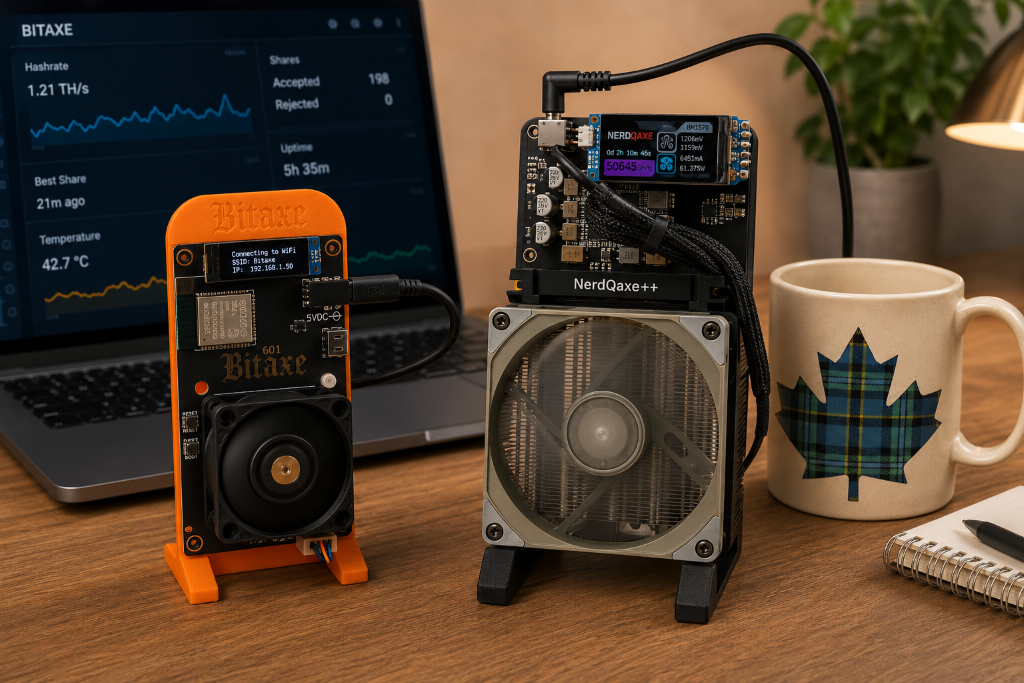
Bitaxe & Friends Update – Mid-July 2026
The last couple of weeks have been more about pool architecture and decentralization than about new boards or flashy firmware drops. The latest Bitaxe townhall dug deep into how solo pools, latency, and payout schemes affect decentralization, while Atlas Pool and other open-source efforts continue to push on performance and transparency. (YouTube — Bitaxe Townhall…
-
Bitaxe & Friends Update – Early July 2026
The last month in the Bitaxe and open-hardware mining space has been quieter on the headline-hardware front, but there are still a few threads worth flagging for anyone following Bitaxe, NerdQAxe, and their cousins. The focus remains on firmware polish, broader solo-mining context, and the slow-but-steady creep of BM1373-based designs from rumor toward reality. Firmware:…
-
Bitaxe Town Hall #60: The Libre Board and the Future of Open-Source Mining
A recap of Bitaxe Town Hall #60 featuring Schnitzel and the Libre Board, an open-source control board for Bitcoin miners funded by the 256 Foundation.
-
Bitaxe Firmware Update — Corrected June 2026 Timeline
A corrected, primary-source-based timeline of ESP‑Miner releases around June 2026, plus practical guidance for deciding whether to update a Bitaxe.
-

Bitaxe Community Update – Mid‑May 2026
Bitaxe community update for mid-May 2026: ESP-Miner firmware progress, overclocking guides, solo mining coverage, and BM1373 hardware speculation.
New to Bitaxe?
Start with the complete guide. Bitcoin Mining with Bitaxe covers first setup, telemetry, tuning, monitoring, firmware, nodes, and recovery in one practical first-edition guide.
Keep a practical Bitaxe owner workflow nearby
Download the printable maintenance and troubleshooting pack, then use these dated Community Updates to keep its guidance current.
The pack is delivered by email with a short practical welcome sequence. This updates page remains free to use without signup.