

QR codes save you typing. They can also make it harder to see where a link leads until your phone reads the code.
If your camera displays an address, pause before opening it. The preview gives you a chance to see where you’re going, but it can’t tell you whether the page is genuine.
A preview may show where the code leads. It cannot confirm the page is genuine.
Try it with a harmless example
Point your phone’s camera at the code below if you’d like to see how your phone presents a QR-code link. It leads to the public Tartanleaf homepage at https://www.tartanleaf.com/. If your phone shows a link, pause and read the address before you tap. The written address lets you compare the preview with the destination you expected.
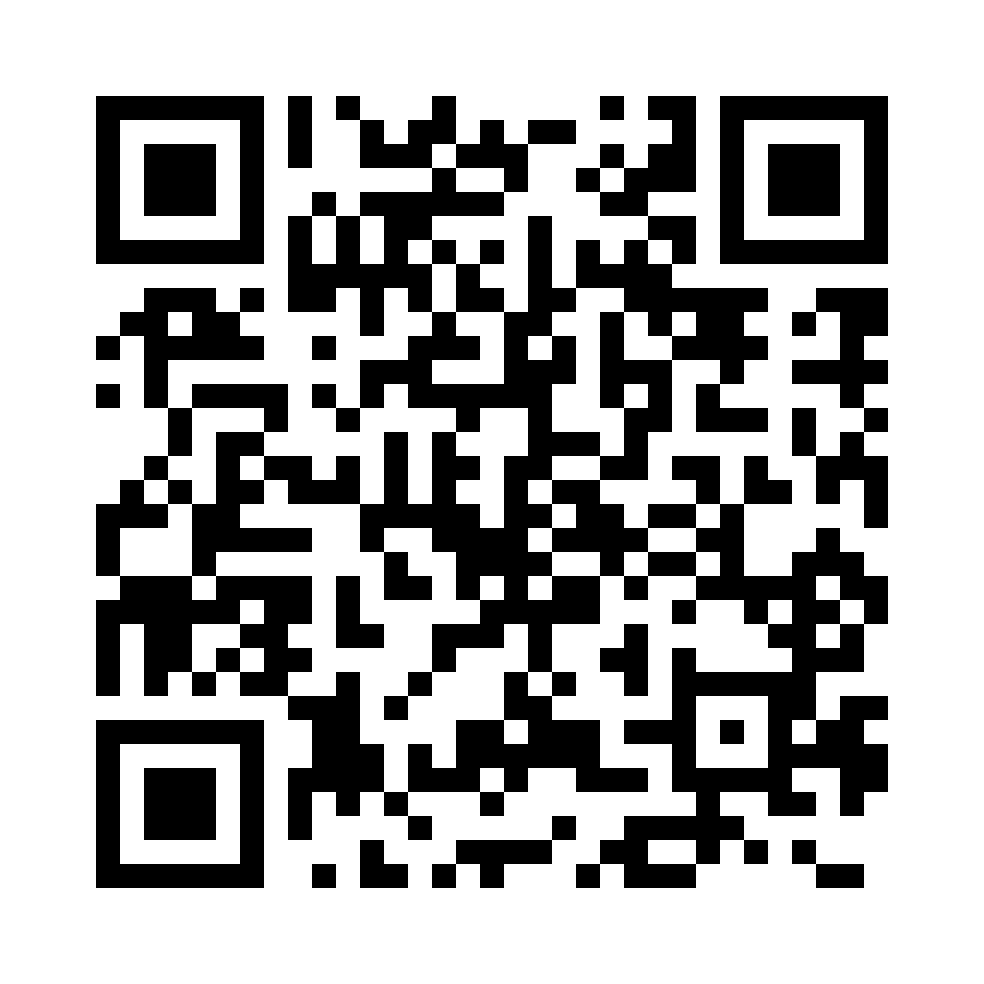
https://www.tartanleaf.com/.This demonstration is deliberately predictable: the code contains only the address printed beside it. It has no shortened link, redirect or tracking parameters. In other situations, a preview still cannot prove who placed the code or whether the page is genuine.
Start with where the code came from
Before you tap, think about where the code came from. Did it arrive in an unexpected message? Is there a sticker covering the code printed on a sign or parking meter? If so, skip it and reach the service through an app or contact details you already know.
Read the address, if one appears
If the camera shows a web address, check whether the site name matches what you expected. A logo or familiar word can be copied. Shortened links may also make it harder to see where you’ll end up. If you can’t tell, back out.
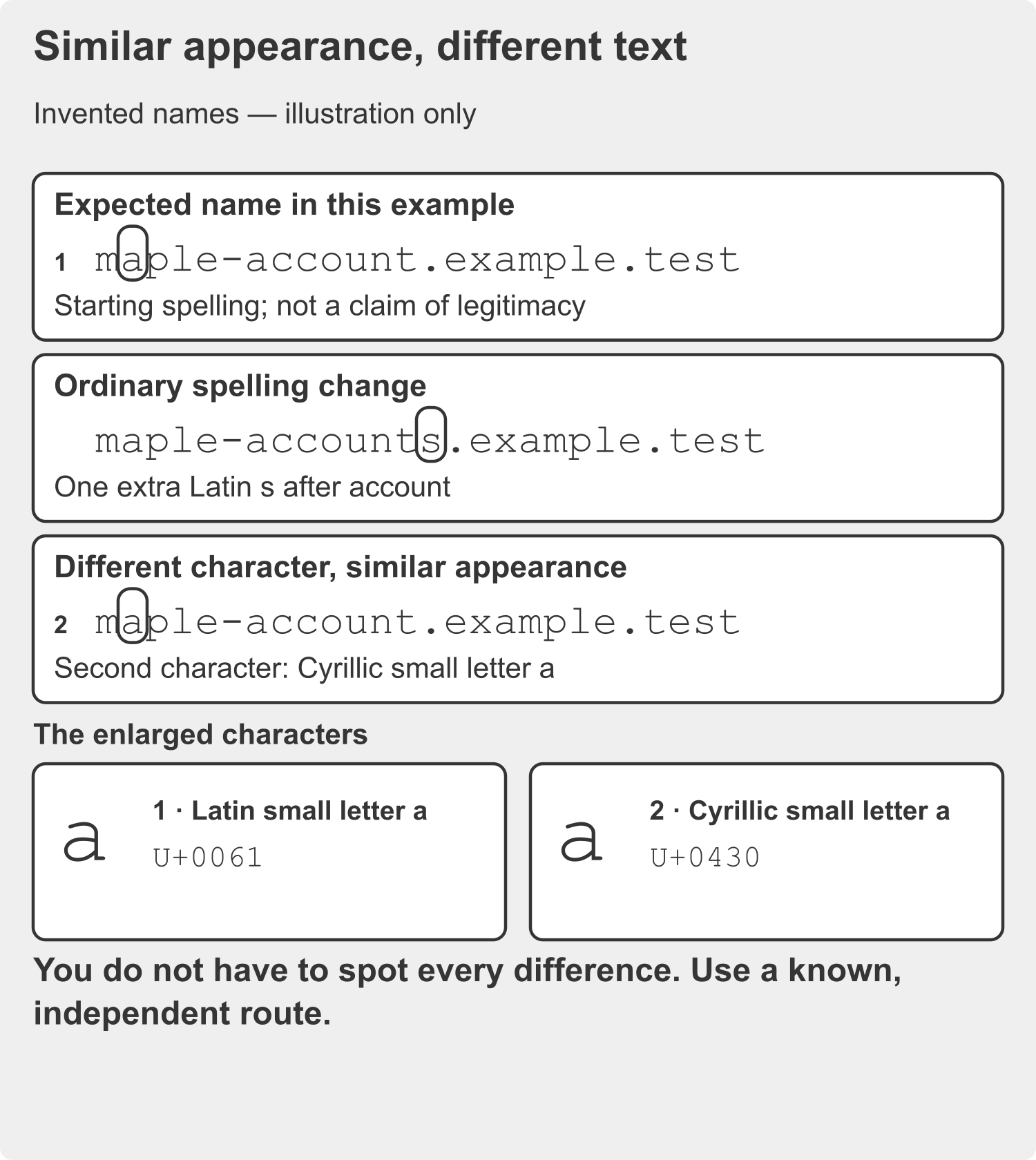
For a sign-in or payment, start from a route you know
For a sign-in, payment or request for personal information, open the app you already use or use contact details from a statement or card. Seeing another page open doesn’t confirm the request – you got there through the same code.
Most QR codes are ordinary shortcuts. You don’t have to be suspicious of every one. Take extra care when an account, your money or personal information is involved.
If you’ve already entered details
If you’ve already entered details, stop using that page. Contact the account provider through its usual app or a number you already have. My Scam Safety guide has more on what to do after opening a suspicious link.
Sources and further reading
For more detail, see the Canadian Centre for Cyber Security guidance on QR codes and the FTC’s advice on QR-code scams.